Decor8AI Virtual Staging & Interior Design API (1.0)
Download OpenAPI specification:
Decor8 AI is a virtual staging API that uses AI to transform empty rooms into beautifully furnished spaces. Designed for real estate professionals, property managers, and app developers, this interior design AI generates photorealistic room designs in seconds. Whether you need AI virtual staging for property listings, AI interior design for client presentations, or AI room design for renovation planning, our API delivers professional results. Create stunning living rooms, bedrooms, kitchens, and more with AI home design technology that helps properties sell faster.
Please reach out to Decor8 AI Team with questions or suggestions.
Additional license information can be found here.
Try It Now - API Playground
Don't just read the docs - try the APIs interactively!
Visit the Decor8 AI API Playground to test all APIs directly in your browser with your API key. No coding required to get started.
Getting Started
Authentication: Each API request requires two headers:
Content-Type: application/jsonAuthorization: Bearer <API_KEY>
API Key: Get your
<API_KEY>from your account at prod-app.decor8.ai.
Sign in to Decor8 AI and Click on APIs from the Left Side-menu
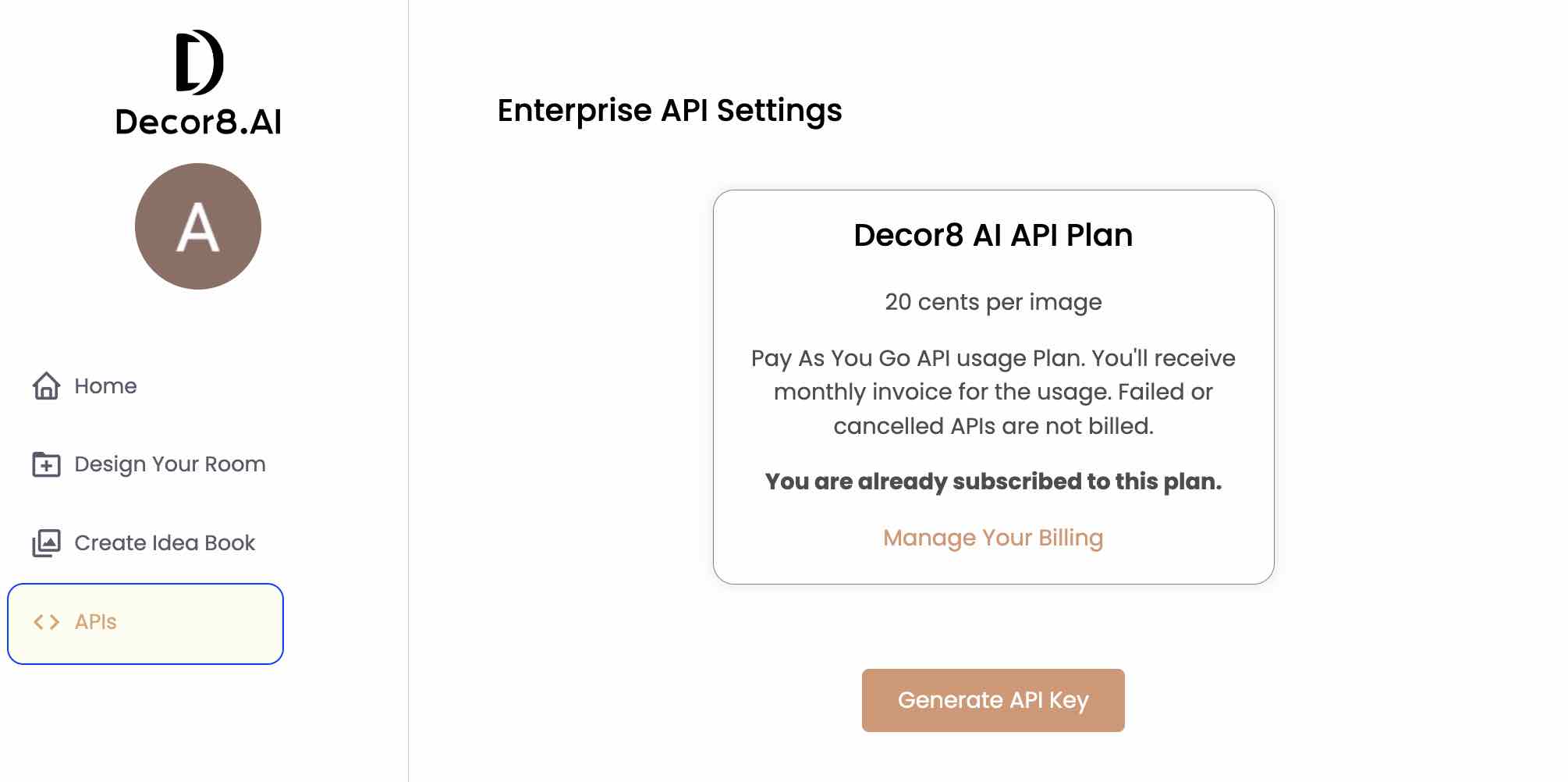
Click Generate API Key
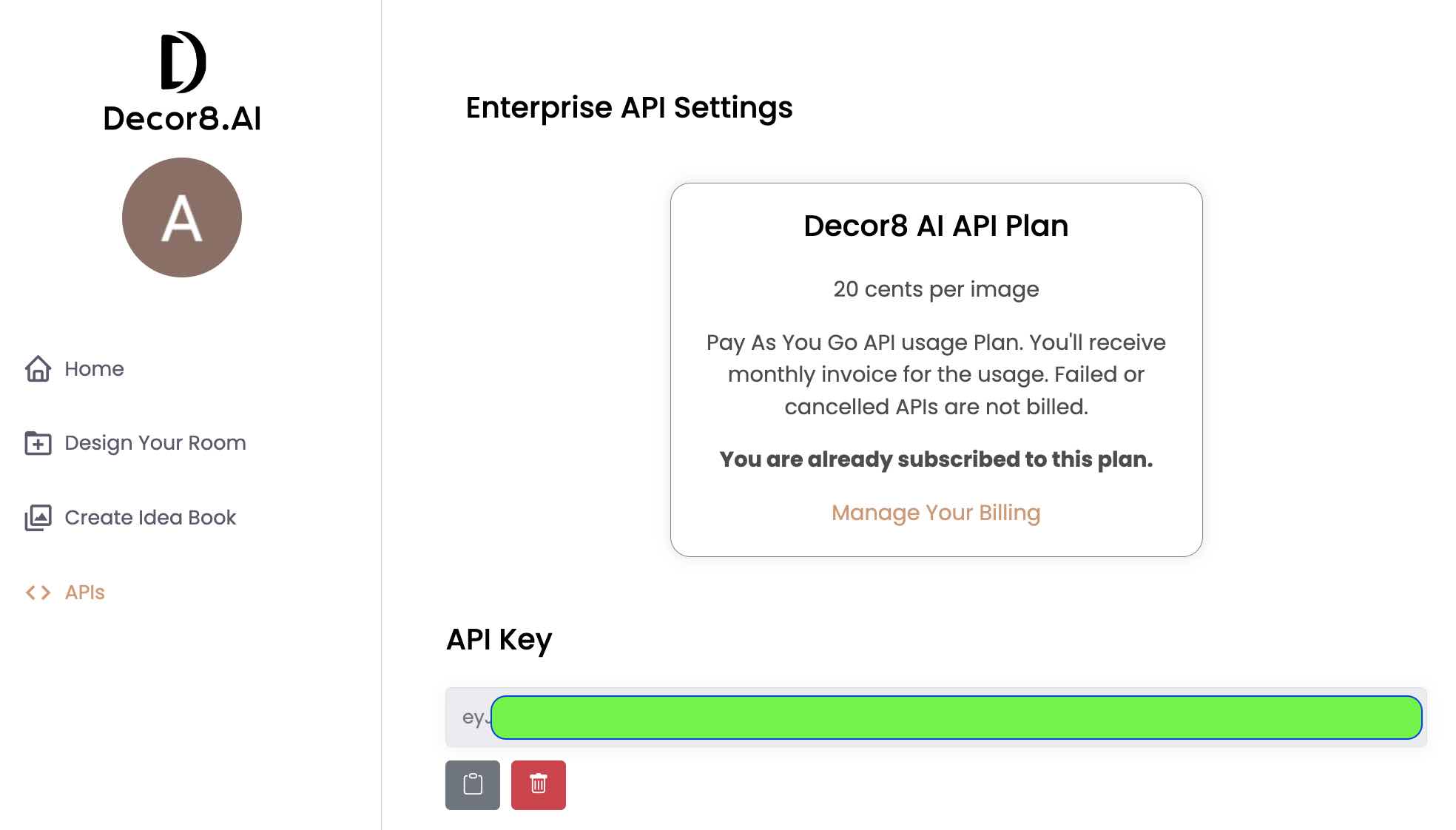
Test Your API Key
Once you have the key, you can test it in two ways:
Option 1: Use the API Playground (Recommended)
Visit api-docs.decor8.ai/playground, enter your API key, and test any endpoint interactively.
Option 2: Use curl
curl -X GET "https://api.decor8.ai/speak_friend_and_enter" -H "Authorization: Bearer <API_KEY>"
Test Authentication
This endpoint is used to test whether the provided API key in the Authorization header is valid.
Authorizations:
Responses
Response samples
- 200
- 401
{- "error": "",
- "message": "The doors of Durin open for you. Welcome, friend of Moria.",
- "Status": 1
}Virtual Staging & Interior Design
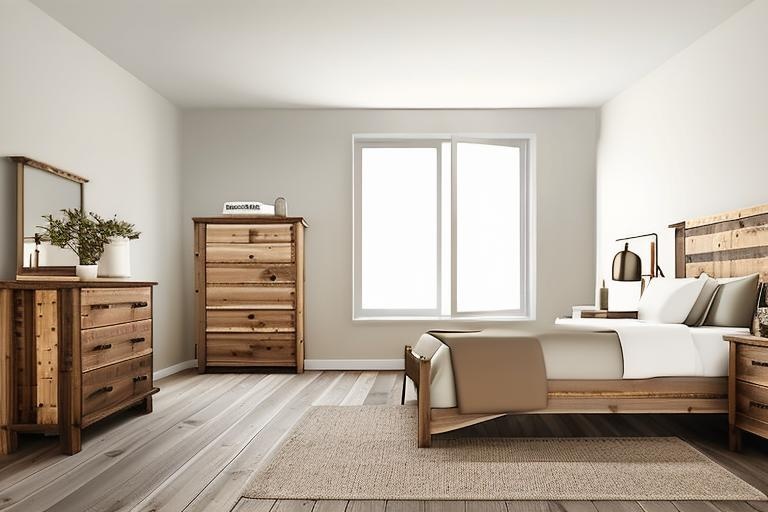
Generate stunning room designs from any interior photo using virtual staging AI technology. Upload an empty room or a furnished space, and our AI will create photorealistic designs based on your chosen room type and style. Ideal for real estate agents, interior designers, and homeowners exploring AI room design options.
Authorizations:
Request Body schema: application/jsonrequired
| input_image_url required | string URL of the input image. Make sure the image is accessible over the internet. Supported formats are - PNG, JPEG, HEIF/HEIC. | ||||||||||||||||||||||||||||||||||||||||||||
| room_type required | string (RoomType) Enum: "livingroom" "kitchen" "diningroom" "bedroom" "bathroom" "kidsroom" "familyroom" "readingnook" "sunroom" "walkincloset" "mudroom" "toyroom" "office" "foyer" "powderroom" "laundryroom" "gym" "basement" "garage" "balcony" "cafe" "homebar" "study_room" "front_porch" "back_porch" "back_patio" "openplan" "boardroom" "meetingroom" "openworkspace" "privateoffice" Choose from the supported room types. | ||||||||||||||||||||||||||||||||||||||||||||
| design_style required | string (DesignStyle) Enum: "minimalist" "scandinavian" "industrial" "boho" "traditional" "artdeco" "midcenturymodern" "coastal" "tropical" "eclectic" "contemporary" "frenchcountry" "rustic" "shabbychic" "vintage" "country" "modern" "asian_zen" "hollywoodregency" "bauhaus" "mediterranean" "farmhouse" "victorian" "gothic" "moroccan" "southwestern" "transitional" "maximalist" "arabic" "japandi" "retrofuturism" "artnouveau" "urbanmodern" "wabi_sabi" "grandmillennial" "coastalgrandmother" "newtraditional" "cottagecore" "luxemodern" "high_tech" "organicmodern" "tuscan" "cabin" "desertmodern" "global" "industrialchic" "modernfarmhouse" "europeanclassic" "neotraditional" "warmminimalist" Choose from the supported design styles. | ||||||||||||||||||||||||||||||||||||||||||||
| num_images required | integer (NumImages) [ 1 .. 4 ] | ||||||||||||||||||||||||||||||||||||||||||||
| scale_factor | integer (ScaleFactor) [ 1 .. 8 ] Scale factor determines the image resolution. By default, the API uses scale_factor = 2 (producing images up to 1536 pixels) with no additional charge. See the table below for more details:
Notes:
| ||||||||||||||||||||||||||||||||||||||||||||
| color_scheme | string (ColorScheme) Enum: "COLOR_SCHEME_0" "COLOR_SCHEME_1" "COLOR_SCHEME_2" "COLOR_SCHEME_3" "COLOR_SCHEME_4" "COLOR_SCHEME_5" "COLOR_SCHEME_6" "COLOR_SCHEME_7" "COLOR_SCHEME_8" "COLOR_SCHEME_9" "COLOR_SCHEME_10" "COLOR_SCHEME_11" "COLOR_SCHEME_12" "COLOR_SCHEME_13" "COLOR_SCHEME_14" "COLOR_SCHEME_15" "COLOR_SCHEME_16" "COLOR_SCHEME_17" "COLOR_SCHEME_18" "COLOR_SCHEME_19" "COLOR_SCHEME_20" Preferred color scheme, optional. Default is COLOR_SCHEME_0. Here are the possible values:
| ||||||||||||||||||||||||||||||||||||||||||||
| speciality_decor | string (SpecialityDecor) Enum: "SPECIALITY_DECOR_0" "SPECIALITY_DECOR_1" "SPECIALITY_DECOR_2" "SPECIALITY_DECOR_3" "SPECIALITY_DECOR_4" "SPECIALITY_DECOR_5" "SPECIALITY_DECOR_6" "SPECIALITY_DECOR_7" Details about any specialty decor elements, optional. Default is SPECIALITY_DECOR_0. Here are the possible values:
| ||||||||||||||||||||||||||||||||||||||||||||
| mask_info | string Deprecated ⚠️ DEPRECATED - This parameter will be removed in upcoming releases. Additional masking information, optional. | ||||||||||||||||||||||||||||||||||||||||||||
| prompt | string (Optional) Custom prompt for image generation. If provided, room_type, design_style, color_scheme, and speciality_decor values are ignored as the prompt field is used directly for image generation. If prompt is not provided, then room_type and design_style must be provided and will be used to generate a system-selected prompt. Note: Using custom prompts provides more control over image generation but may require experimentation to achieve desired results. | ||||||||||||||||||||||||||||||||||||||||||||
| seed | integer >= 0 Deprecated ⚠️ DEPRECATED - This parameter will be removed in upcoming releases. | ||||||||||||||||||||||||||||||||||||||||||||
| guidance_scale | number <float> [ 1 .. 20 ] Deprecated Default: 15 ⚠️ DEPRECATED - This parameter will be removed in upcoming releases. | ||||||||||||||||||||||||||||||||||||||||||||
| num_inference_steps | integer [ 1 .. 75 ] Deprecated Default: 50 ⚠️ DEPRECATED - This parameter will be removed in upcoming releases. | ||||||||||||||||||||||||||||||||||||||||||||
| design_style_image_url | string (Optional) URL of the image file to use as a style reference for the generated design. Additional 1 credit / per image is used for this request. Refer to https://www.decor8.ai/api-pricing for credit pricing. If you generate more than 1 image, then the additional credits used will be equal to the value of num_images parameter. | ||||||||||||||||||||||||||||||||||||||||||||
| design_style_image_strength | number <float> [ 0 .. 1 ] Deprecated Default: 0.82 ⚠️ DEPRECATED - This parameter will be removed in upcoming releases. | ||||||||||||||||||||||||||||||||||||||||||||
| design_creativity | number <float> [ 0 .. 1 ] Deprecated Default: 0.39 ⚠️ DEPRECATED - This parameter will be removed in upcoming releases. | ||||||||||||||||||||||||||||||||||||||||||||
| webhooks_data | string (Optional) Webhook configuration as a JSON string. The API will POST to your URL when generation completes. JSON Structure:
See the "Python: Webhooks" code sample for full example. | ||||||||||||||||||||||||||||||||||||||||||||
| decor_items | string (Optional) JSON string array of decor items to place in the room. Note: When provided, JSON Structure:
Tips: Use clear images with item centered, no busy backgrounds. Descriptive names with adjectives produce better results. See "Python: Decor Items" and "JavaScript: Decor Items" code samples for full examples. |
Responses
Request samples
- Payload
- Python: Basic
- Python: Custom Prompt
- Python: Design Style Image
- Python: Webhooks
- Python: Decor Items
- JavaScript: Decor Items
{- "room_type": "livingroom",
- "design_style": "minimalist",
- "num_images": 1,
- "scale_factor": 1,
- "color_scheme": "COLOR_SCHEME_0",
- "speciality_decor": "SPECIALITY_DECOR_0",
- "mask_info": "mask_info_string",
- "prompt": "string",
- "seed": 0,
- "guidance_scale": 15,
- "num_inference_steps": 50,
- "design_style_image_url": "string",
- "design_style_image_strength": 0.82,
- "design_creativity": 0.39,
- "webhooks_data": "{\"url\":\"https://your-callback-url.com/webhook\"}",
- "decor_items": "[{\"url\":\"https://example.com/sofa.jpg\",\"name\":\"blue sofa\"}]"
}
Response samples
- 200
- 401
- 422
{- "error": "",
- "message": "Successfully generated designs for room.",
- "info": {
- "images": [
- {
- "uuid": "3d03ed46-c3c1-4adb-a703-6a97dfa1ee5b",
- "width": 768,
- "height": 512,
- "captions": [
- "string"
],
}
], - "mask_info": "mask_info_string"
}
}
Generate Inspirational Designs
Generate unique room design concepts without needing a photo. This AI interior design feature is perfect for creating mood boards, exploring design possibilities, or showcasing interior styles to clients. The interior design AI creates original room visualizations based on your specified room type and design style.
Authorizations:
Request Body schema: application/jsonrequired
| room_type required | string (RoomType) Enum: "livingroom" "kitchen" "diningroom" "bedroom" "bathroom" "kidsroom" "familyroom" "readingnook" "sunroom" "walkincloset" "mudroom" "toyroom" "office" "foyer" "powderroom" "laundryroom" "gym" "basement" "garage" "balcony" "cafe" "homebar" "study_room" "front_porch" "back_porch" "back_patio" "openplan" "boardroom" "meetingroom" "openworkspace" "privateoffice" Choose from the supported room types. | ||||||||||||||||||||||||||||||||||||||||||||
| design_style required | string (DesignStyle) Enum: "minimalist" "scandinavian" "industrial" "boho" "traditional" "artdeco" "midcenturymodern" "coastal" "tropical" "eclectic" "contemporary" "frenchcountry" "rustic" "shabbychic" "vintage" "country" "modern" "asian_zen" "hollywoodregency" "bauhaus" "mediterranean" "farmhouse" "victorian" "gothic" "moroccan" "southwestern" "transitional" "maximalist" "arabic" "japandi" "retrofuturism" "artnouveau" "urbanmodern" "wabi_sabi" "grandmillennial" "coastalgrandmother" "newtraditional" "cottagecore" "luxemodern" "high_tech" "organicmodern" "tuscan" "cabin" "desertmodern" "global" "industrialchic" "modernfarmhouse" "europeanclassic" "neotraditional" "warmminimalist" Choose from the supported design styles. | ||||||||||||||||||||||||||||||||||||||||||||
| num_images required | integer (NumImages) [ 1 .. 4 ] | ||||||||||||||||||||||||||||||||||||||||||||
| color_scheme | string (ColorScheme) Enum: "COLOR_SCHEME_0" "COLOR_SCHEME_1" "COLOR_SCHEME_2" "COLOR_SCHEME_3" "COLOR_SCHEME_4" "COLOR_SCHEME_5" "COLOR_SCHEME_6" "COLOR_SCHEME_7" "COLOR_SCHEME_8" "COLOR_SCHEME_9" "COLOR_SCHEME_10" "COLOR_SCHEME_11" "COLOR_SCHEME_12" "COLOR_SCHEME_13" "COLOR_SCHEME_14" "COLOR_SCHEME_15" "COLOR_SCHEME_16" "COLOR_SCHEME_17" "COLOR_SCHEME_18" "COLOR_SCHEME_19" "COLOR_SCHEME_20" Preferred color scheme, optional. Default is COLOR_SCHEME_0. Here are the possible values:
| ||||||||||||||||||||||||||||||||||||||||||||
| speciality_decor | string (SpecialityDecor) Enum: "SPECIALITY_DECOR_0" "SPECIALITY_DECOR_1" "SPECIALITY_DECOR_2" "SPECIALITY_DECOR_3" "SPECIALITY_DECOR_4" "SPECIALITY_DECOR_5" "SPECIALITY_DECOR_6" "SPECIALITY_DECOR_7" Details about any specialty decor elements, optional. Default is SPECIALITY_DECOR_0. Here are the possible values:
| ||||||||||||||||||||||||||||||||||||||||||||
| prompt | string (Optional) Custom prompt for image generation. If provided, room_type, design_style, color_scheme, and speciality_decor values are ignored as the prompt field is used directly for image generation. If prompt is not provided, then room_type and design_style must be provided and will be used to generate a system-selected prompt. Note: Using custom prompts provides more control over image generation but may require experimentation to achieve desired results. | ||||||||||||||||||||||||||||||||||||||||||||
| seed | integer >= 0 Deprecated ⚠️ DEPRECATED - This parameter will be removed in upcoming releases. | ||||||||||||||||||||||||||||||||||||||||||||
| guidance_scale | number <float> [ 1 .. 20 ] Deprecated Default: 15 ⚠️ DEPRECATED - This parameter will be removed in upcoming releases. | ||||||||||||||||||||||||||||||||||||||||||||
| num_inference_steps | integer [ 1 .. 75 ] Deprecated Default: 35 ⚠️ DEPRECATED - This parameter will be removed in upcoming releases. |
Responses
Request samples
- Payload
- Python
{- "room_type": "livingroom",
- "design_style": "minimalist",
- "num_images": 1,
- "color_scheme": "COLOR_SCHEME_0",
- "speciality_decor": "SPECIALITY_DECOR_0",
- "prompt": "string",
- "seed": 0,
- "guidance_scale": 15,
- "num_inference_steps": 35
}Response samples
- 200
- 401
- 422
{- "error": "",
- "message": "Successfully generated designs for room.",
- "info": {
- "images": [
- {
- "uuid": "3d03ed46-c3c1-4adb-a703-6a97dfa1ee5b",
- "width": 768,
- "height": 512,
- "captions": [
- "string"
],
}
], - "mask_info": "mask_info_string"
}
}Prime Room Walls
Apply a clean, neutral finish to room walls by removing existing colors, patterns, or textures. Creates a blank canvas for virtual staging or helps visualize rooms with fresh, painted walls.
Authorizations:
Request Body schema: application/jsonrequired
| input_image_url required | string URL of the room image where the walls need to be primed. Ensure the image is accessible over the internet. Supported formats are PNG, JPEG, HEIF/HEIC. |
Responses
Request samples
- Payload
- Python
{
}Response samples
- 200
- 422
{- "message": "Walls primed successfully.",
}Replace Sky in Property Photos
Enhance real estate exterior photos by replacing overcast or dull skies with beautiful day, dusk, or night scenes. Perfect for improving curb appeal in property listings and marketing materials.
Authorizations:
Request Body schema: application/jsonrequired
| input_image_url required | string The URL of the house image where the sky should be replaced. Must be a publicly accessible URL. |
| sky_type required | string Enum: "day" "dusk" "night" The type of sky to replace in the image. Valid options are 'day', 'dusk', or 'night'. |
Responses
Request samples
- Payload
- Python
{- "sky_type": "day"
}
Response samples
- 200
- 400
- 401
{- "message": "Sky replaced successfully.",
}
Upscale Image Resolution
Increase image resolution up to 8x for print-quality output. Upload any room design or property photo and get a high-resolution version suitable for large format printing, marketing brochures, or detailed presentations.
Authorizations:
Request Body schema: multipart/form-datarequired
| input_image required | string <binary> The image file to upscale. Max file size is 4MB. | |||||||||||||||||||||||||||
| scale_factor required | integer [ 1 .. 8 ] Scale factor determines the image resolution. See the table below for more details:
Notes:
|
Responses
Request samples
- Python
"""
Upscale Image - Increase image resolution.

Uses multipart/form-data to upload the image file.
Returns base64-encoded upscaled image.

Scale factors: 1-8 (higher = larger output, more credits)

Requirements: pip install requests
"""
import os
import base64
import requests
from io import BytesIO

API_KEY = os.getenv("DECOR8AI_API_KEY")
SERVER_URL = "https://api.decor8.ai/upscale_image"

# Download a sample image to upscale
sample_image_url = "https://prod-files.decor8.ai/test-images/sdk_test_image.png"
image_response = requests.get(sample_image_url)
image_data = BytesIO(image_response.content)

# Prepare multipart form data
files = {
    "input_image": ("image.jpg", image_data, "image/jpeg")
}

data = {
    "scale_factor": 2  # 2x upscale (max 1536px, no extra credits)
}

headers = {
    "Authorization": f"Bearer {API_KEY}"
}

response = requests.post(SERVER_URL, headers=headers, data=data, files=files)

if response.status_code == 200:
    result = response.json()
    # Decode and save the upscaled image
    upscaled_data = base64.b64decode(result["info"]["upscaled_image"])
    with open("upscaled_image.jpg", "wb") as f:
        f.write(upscaled_data)
    print("Upscaled image saved to upscaled_image.jpg")
else:
    print(f"Error {response.status_code}: {response.text}")
Response samples
- 200
- 401
{- "error": "",
- "message": "Successfully upscaled image.",
- "info": {
- "upscaled_image": "/9j/4AAQSkZ...."
}
}Remove Objects from Room
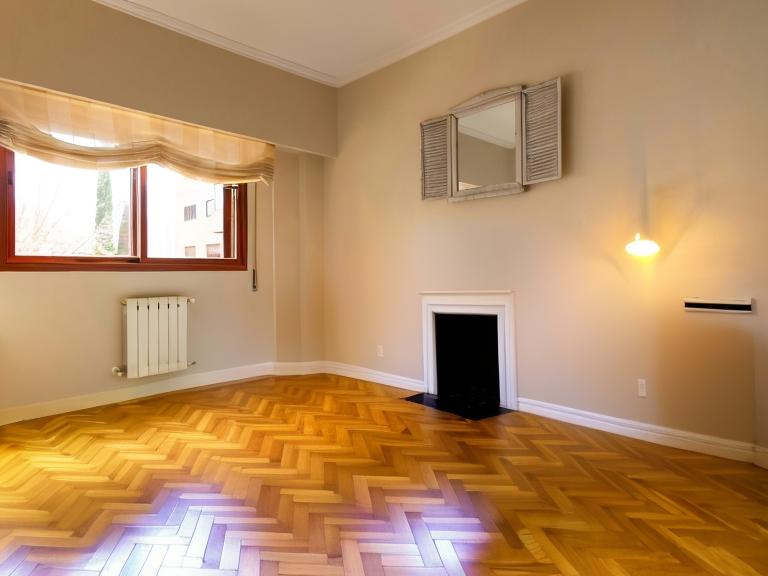
Remove furniture and decor from room photos to create empty spaces ready for AI virtual staging. The AI preserves architectural elements like walls, ceiling, windows, doors, and built-in fixtures while removing movable objects. Essential for preparing occupied properties before applying AI home design transformations.
Objects Preserved: wall, ceiling, door, windowpane, floor, railing, column, blind, light, stove, kitchen island, oven, microwave, dishwasher, hood, fan, radiator, refrigerator, sink, chandelier, fireplace, mirror, tree, curtain
Authorizations:
Request Body schema: application/jsonrequired
| input_image_url | string URL of the input image. Ensure the image is accessible over the internet. Supported formats are - PNG, JPEG, HEIF/HEIC. |
| mask_image_url | string Optional URL of a mask image to specify which objects to remove. The mask must be a black and white image where white pixels identify the objects to remove and black pixels identify areas to preserve. The mask image must have the same aspect ratio as the input image. If mask is not provided, all furniture and decor objects are removed from the room. Supported formats are - PNG, JPEG, HEIF/HEIC. |
Responses
Request samples
- Payload
- Python: Basic
- Python: With Mask
{
}
Response samples
- 200
- 401
{- "error": "",
- "message": "Successfully removed objects from room.",
- "info": {
- "image": {
- "uuid": "599e2f3a-250d-4f2b-b1e6-acdfdb06bec4",
- "width": 768,
- "height": 576,
}
}
}
Change Wall Color
Visualize any wall color before painting. Upload a room photo and specify a hex color code to see how different paint colors would look. The AI maintains realistic lighting and shadows for accurate previews.
Credit Usage:
- Base cost: 1 credit per request
- Refer to https://www.decor8.ai/api-pricing for detailed credit pricing
Authorizations:
Request Body schema: application/jsonrequired
| input_image_url required | string URL of the input image. Can be either a https:// URL or a data:// base64 encoded string. Supported formats are PNG, JPEG, HEIF/HEIC. Note: When using data:// URLs, there is a 4MB limit on the file size. Examples:
|
| wall_color_hex_code required | string^#[0-9A-Fa-f]{6}$ The hex color code for the new wall color. Must be a valid hex color code starting with # followed by 6 hexadecimal characters. Examples:
|
Responses
Request samples
- Payload
- Python
{- "wall_color_hex_code": "#FF5733"
}Response samples
- 200
- 401
- 422
{- "error": "",
- "message": "Successfully changed wall color.",
- "info": {
- "images": [
- {
- "uuid": "599e2f3a-250d-4f2b-b1e6-acdfdb06bec4",
- "width": 768,
- "height": 576,
}
]
}
}Change Kitchen Cabinet Color
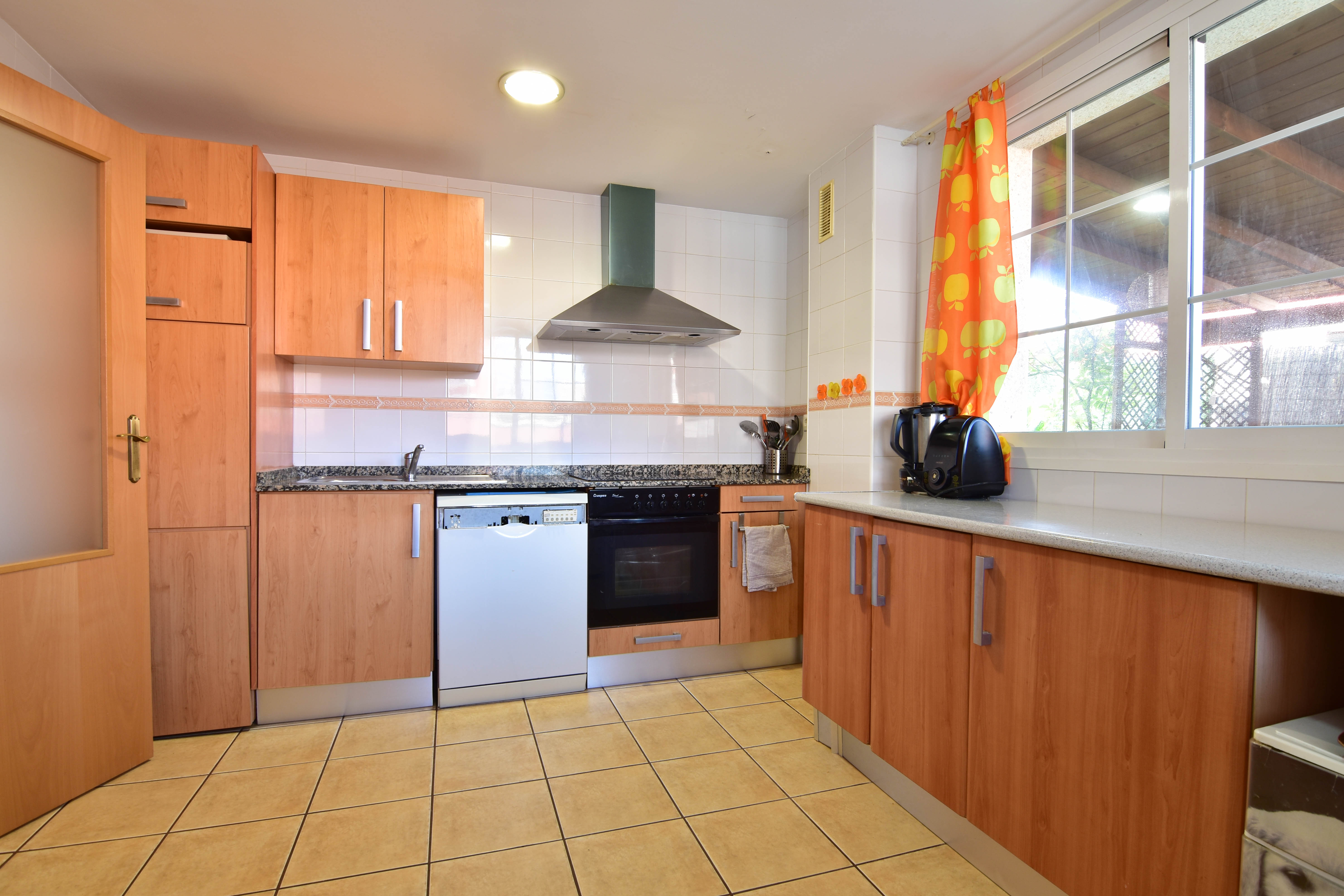
Preview cabinet refinishing or replacement colors before committing. Upload a kitchen photo and specify any hex color to see how new cabinet colors would look with realistic lighting and shadows.
Credit Usage:
- Base cost: 1 credit per request
- Refer to https://www.decor8.ai/api-pricing for detailed credit pricing
Authorizations:
Request Body schema: application/jsonrequired
| input_image_url required | string URL of the input image. Can be either a https:// URL or a data:// base64 encoded string. Supported formats are PNG, JPEG, HEIF/HEIC. Note: When using data:// URLs, there is a 4MB limit on the file size. Examples:
|
| cabinet_color_hex_code required | string^#[0-9A-Fa-f]{6}$ The hex color code for the new cabinet color. Must be a valid hex color code starting with # followed by 6 hexadecimal characters. Examples:
|
Responses
Request samples
- Payload
- Python
{- "input_image_url": "https://prod-files.decor8.ai/test-images/sdk_test_change_kitchen_cabinets_color_2.jpg",
- "cabinet_color_hex_code": "#8B4513"
}Response samples
- 200
- 401
- 422
{- "error": "",
- "message": "Successfully changed kitchen cabinets color.",
- "info": {
- "images": [
- {
- "uuid": "599e2f3a-250d-4f2b-b1e6-acdfdb06bec4",
- "width": 768,
- "height": 576,
}
]
}
}Generate Landscaping Designs (Beta)
Transform front yards, backyards, and outdoor spaces with AI-generated landscaping designs. Upload a photo of any yard and see it with new gardens, plants, and outdoor features in various styles.
Credit Usage:
- Base cost: 1 credit per image generated
- Refer to https://www.decor8.ai/api-pricing for detailed credit pricing
Request Body schema: application/jsonrequired
| input_image_url required | string URL of the input image. Can be either a https:// URL or a data:// base64 encoded string. Supported formats are PNG, JPEG, HEIF/HEIC. Note: When using data:// URLs, there is a 4MB limit on the file size. Examples:
|
| yard_type required | string Enum: "Front Yard" "Backyard" "Side Yard" The type of yard to design. Case-insensitive. |
| garden_style required | string Enum: "Garden" "Shade Garden" "Herb and Vegetable garden" "California Style Garden" "Evergreen Garden" "Aquatic Garden" "Picturesque Garden" "New England Style Garden" "Colonial Style Garden" "Terraced Garden" "Bamboo Garden" "Patio Garden" "Pollinators-Friendly Garden" "Drought Resistant Garden" "Container Garden" "Tropical Garden" "Japanese Zen Garden" "Mediterranean Garden" "Rock Garden" "Private Courtyard Garden" "Outdoor Staircase Garden" "Mounds or Berms" "Therapeutic Garden" "Alpine Garden" "Feng Shui Garden" "Vertical Garden" "Chinese Classical Garden" "Rain Garden" "English Cottage Garden" "French Formal Garden" "Italian Renaissance Garden" "Xeriscaping Garden" The style of garden to implement. Case-insensitive. |
| num_images | integer [ 1 .. 4 ] Default: 1 Number of design variations to generate. Each image costs 1 credit. |

Responses
Request samples
- Payload
- Python
{- "yard_type": "Front Yard",
- "garden_style": "Garden",
- "num_images": 1
}Response samples
- 200
- 401
- 422
{- "error": "",
- "message": "Successfully generated designs for room.",
- "info": {
- "images": [
- {
- "uuid": "3d03ed46-c3c1-4adb-a703-6a97dfa1ee5b",
- "width": 768,
- "height": 512,
- "captions": [
- "string"
],
}
], - "mask_info": "mask_info_string"
}
}Remodel Kitchen
Visualize complete kitchen renovations before construction begins. Upload a photo of any kitchen and see it transformed with new cabinets, countertops, appliances, and layouts in your chosen design style.
Note: This endpoint performs full kitchen remodeling, not virtual staging. Use generate_designs_for_room if you only want to add or rearrange furniture and decor.
Credit Usage:
- Base cost: 1 credit per image generated
- Refer to https://www.decor8.ai/api-pricing for detailed credit pricing
Authorizations:
Request Body schema: application/jsonrequired
| input_image_url required | string URL of the kitchen image to remodel. Can be either a https:// URL or a data:// base64 encoded string. Supported formats are PNG, JPEG, HEIF/HEIC. Note: When using data:// URLs, there is a 4MB limit on the file size. Examples:
| |||||||||||||||
| design_style required | string (DesignStyle) Enum: "minimalist" "scandinavian" "industrial" "boho" "traditional" "artdeco" "midcenturymodern" "coastal" "tropical" "eclectic" "contemporary" "frenchcountry" "rustic" "shabbychic" "vintage" "country" "modern" "asian_zen" "hollywoodregency" "bauhaus" "mediterranean" "farmhouse" "victorian" "gothic" "moroccan" "southwestern" "transitional" "maximalist" "arabic" "japandi" "retrofuturism" "artnouveau" "urbanmodern" "wabi_sabi" "grandmillennial" "coastalgrandmother" "newtraditional" "cottagecore" "luxemodern" "high_tech" "organicmodern" "tuscan" "cabin" "desertmodern" "global" "industrialchic" "modernfarmhouse" "europeanclassic" "neotraditional" "warmminimalist" The design style to apply to the kitchen remodel. | |||||||||||||||
| num_images | integer (NumImages) [ 1 .. 4 ] Number of design variations to generate. Default is 1. | |||||||||||||||
| scale_factor | integer [ 1 .. 4 ] Default: 1 Scale factor determines the image resolution. See the table below for more details:
Notes:
| |||||||||||||||
| style_augmentation_prompt | string (Optional) Additional styling instructions to augment the design. Use this to specify particular materials, finishes, or design elements you want to see in the remodeled kitchen. Examples:
|

Responses
Request samples
- Payload
- Python
{- "design_style": "minimalist",
- "num_images": 1,
- "scale_factor": 1,
- "style_augmentation_prompt": "with marble countertops and gold fixtures"
}Response samples
- 200
- 401
- 422
{- "error": "",
- "message": "Successfully generated designs for room.",
- "info": {
- "images": [
- {
- "uuid": "3d03ed46-c3c1-4adb-a703-6a97dfa1ee5b",
- "width": 768,
- "height": 512,
- "captions": [
- "string"
],
}
], - "mask_info": "mask_info_string"
}
}Remodel Bathroom
Visualize complete bathroom renovations before construction begins. Upload a photo of any bathroom and see it transformed with new fixtures, tiles, vanities, and layouts in your chosen design style.
Note: This endpoint performs full bathroom remodeling, not virtual staging. Use generate_designs_for_room if you only want to add or rearrange decor and accessories.
Credit Usage:
- Base cost: 1 credit per image generated
- Refer to https://www.decor8.ai/api-pricing for detailed credit pricing
Authorizations:
Request Body schema: application/jsonrequired
| input_image_url required | string URL of the bathroom image to remodel. Can be either a https:// URL or a data:// base64 encoded string. Supported formats are PNG, JPEG, HEIF/HEIC. Note: When using data:// URLs, there is a 4MB limit on the file size. Examples:
| |||||||||||||||
| design_style required | string (DesignStyle) Enum: "minimalist" "scandinavian" "industrial" "boho" "traditional" "artdeco" "midcenturymodern" "coastal" "tropical" "eclectic" "contemporary" "frenchcountry" "rustic" "shabbychic" "vintage" "country" "modern" "asian_zen" "hollywoodregency" "bauhaus" "mediterranean" "farmhouse" "victorian" "gothic" "moroccan" "southwestern" "transitional" "maximalist" "arabic" "japandi" "retrofuturism" "artnouveau" "urbanmodern" "wabi_sabi" "grandmillennial" "coastalgrandmother" "newtraditional" "cottagecore" "luxemodern" "high_tech" "organicmodern" "tuscan" "cabin" "desertmodern" "global" "industrialchic" "modernfarmhouse" "europeanclassic" "neotraditional" "warmminimalist" The design style to apply to the bathroom remodel. | |||||||||||||||
| num_images | integer (NumImages) [ 1 .. 4 ] Number of design variations to generate. Default is 1. | |||||||||||||||
| scale_factor | integer [ 1 .. 4 ] Default: 1 Scale factor determines the image resolution. See the table below for more details:
Notes:
| |||||||||||||||
| style_augmentation_prompt | string (Optional) Additional styling instructions to augment the design. Use this to specify particular materials, finishes, or design elements you want to see in the remodeled bathroom. Examples:
|

Responses
Request samples
- Payload
- Python
{- "design_style": "minimalist",
- "num_images": 1,
- "scale_factor": 1,
- "style_augmentation_prompt": "with freestanding bathtub and brass fixtures"
}Response samples
- 200
- 401
- 422
{- "error": "",
- "message": "Successfully generated designs for room.",
- "info": {
- "images": [
- {
- "uuid": "3d03ed46-c3c1-4adb-a703-6a97dfa1ee5b",
- "width": 768,
- "height": 512,
- "captions": [
- "string"
],
}
], - "mask_info": "mask_info_string"
}
}Sketch to 3D Render
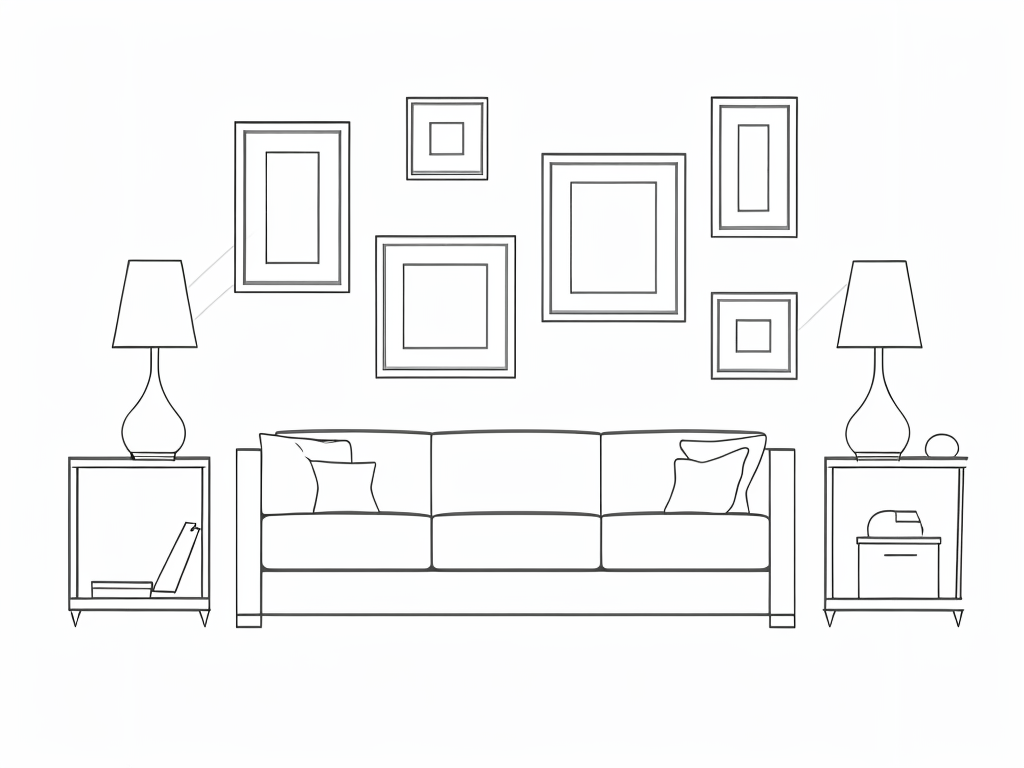
Transform hand-drawn sketches and floor plans into photorealistic 3D room renders using AI room design technology. Upload a simple line drawing and get a fully furnished, realistically lit interior visualization. Ideal for architects and interior designers using AI home design tools to present concepts to clients.
Credit Usage:
- Base cost: 1 credit per image generated
- Refer to https://www.decor8.ai/api-pricing for detailed credit pricing
Authorizations:
Request Body schema: application/jsonrequired
| input_image_url required | string URL of the sketch image to convert to 3D render. Can be either a https:// URL or a data:// base64 encoded string. Supported formats are PNG, JPEG, HEIF/HEIC. Note: When using data:// URLs, there is a 4MB limit on the file size. Examples:
| |||||||||||||||||||||||||||
| design_style required | string (DesignStyle) Enum: "minimalist" "scandinavian" "industrial" "boho" "traditional" "artdeco" "midcenturymodern" "coastal" "tropical" "eclectic" "contemporary" "frenchcountry" "rustic" "shabbychic" "vintage" "country" "modern" "asian_zen" "hollywoodregency" "bauhaus" "mediterranean" "farmhouse" "victorian" "gothic" "moroccan" "southwestern" "transitional" "maximalist" "arabic" "japandi" "retrofuturism" "artnouveau" "urbanmodern" "wabi_sabi" "grandmillennial" "coastalgrandmother" "newtraditional" "cottagecore" "luxemodern" "high_tech" "organicmodern" "tuscan" "cabin" "desertmodern" "global" "industrialchic" "modernfarmhouse" "europeanclassic" "neotraditional" "warmminimalist" The design style to apply to the 3D render. | |||||||||||||||||||||||||||
| num_images | integer (NumImages) [ 1 .. 4 ] | |||||||||||||||||||||||||||
| scale_factor | integer (ScaleFactor) [ 1 .. 8 ] Scale factor determines the image resolution. By default, the API uses scale_factor = 2 (producing images up to 1536 pixels) with no additional charge. See the table below for more details:
Notes:
| |||||||||||||||||||||||||||
| render_type | string Default: "perspective" Enum: "perspective" "isometric" (Optional) Type of render to generate. Default is "perspective".
|
Responses
Request samples
- Payload
- Python
{- "design_style": "minimalist",
- "num_images": 1,
- "scale_factor": 1,
- "render_type": "perspective"
}Response samples
- 200
- 401
- 422
{- "error": "",
- "message": "Successfully generated designs for room.",
- "info": {
- "images": [
- {
- "uuid": "3d03ed46-c3c1-4adb-a703-6a97dfa1ee5b",
- "width": 768,
- "height": 512,
- "captions": [
- "string"
],
}
], - "mask_info": "mask_info_string"
}
}